When to Submit a Ticket
Submit a ticket whenever you:
Run into an error that our self‑help articles don’t resolve.
Need help setting up or custom‑configuring a feature.
Have a billing, subscription, or account‑security question.
Before You Start
Sign in: Make sure you can log in to the Wellconnect Support Portal at support.wellconnect.co
Copy your Location ID: In the Business Suite go to Settings → Business Profile → Location ID.
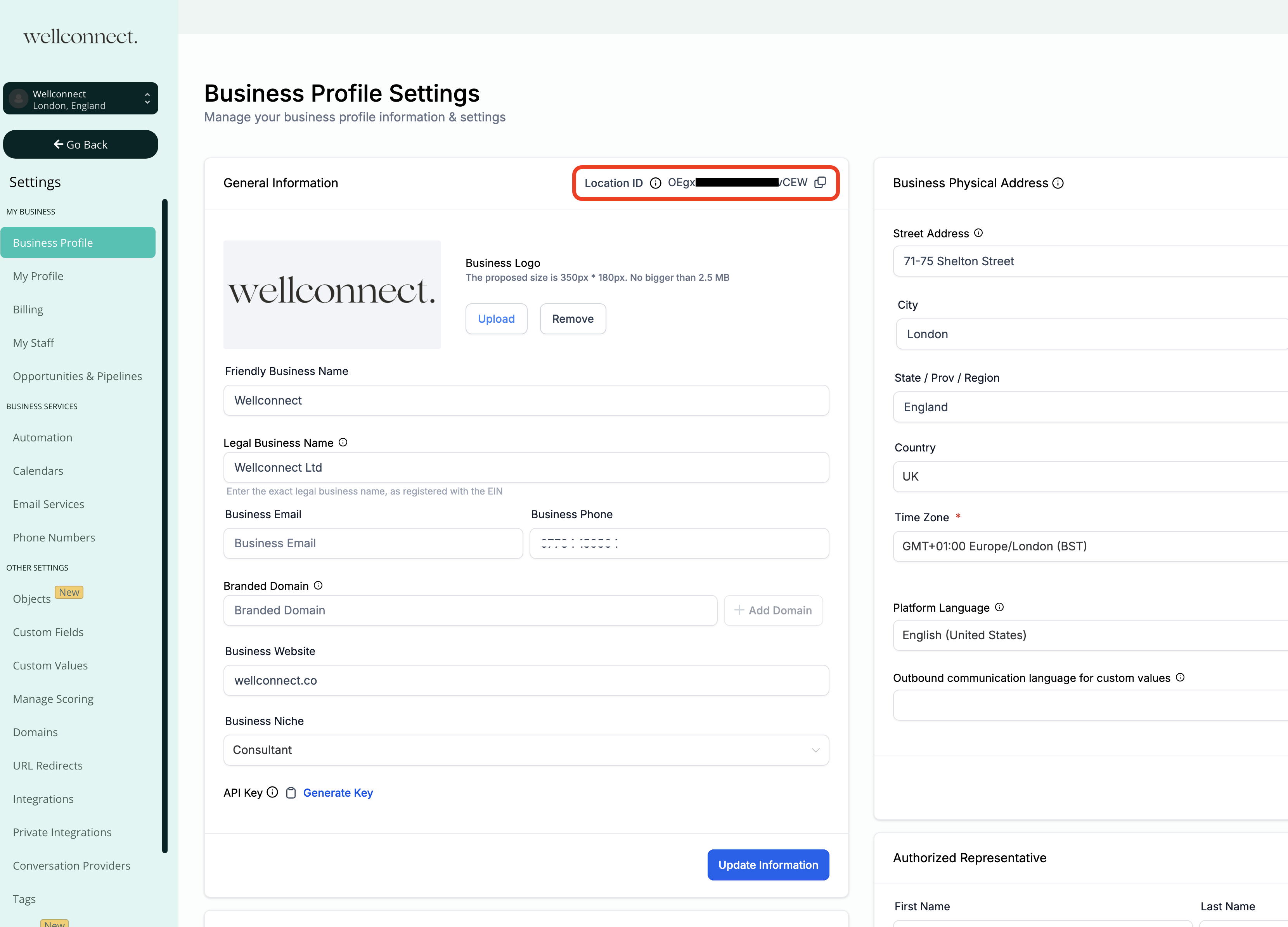
Gather details: Note the exact steps, error messages, and the time the issue occurred.
Take screenshots or a quick screen recording (optional but highly recommended).
Step‑by‑Step Instructions
Log in at support.wellconnect.co.
Click Submit a Ticket.

Fill out the form:
| Field | What to enter |
|---|---|
| Ticket Type | Billing for invoices, payments, or subscriptions.Technical Support for bugs, errors, or feature requests. |
| Please explain the issue | Clear description of what’s happening, steps to reproduce, expected vs. actual result, and any error messages. |
| Location ID | Paste the Location ID you copied earlier. |
| Attachments | Drag‑and‑drop screenshots, screen recordings, or log files (max 25 MB each). |
Click Submit. A confirmation banner appears and an email with your ticket number (e.g.,
#12345) lands in your inbox.To track progress, open Support Center → Tickets
What Happens Next?
Acknowledgement (instant): We email you the moment the ticket is logged.
First human response: if your ticket suggest urgency (the inability to conduct your day-to-day business) one of our agents will send you a zoom call invitation.
A support engineer stays with you until the issue is resolved or a reliable workaround is provided. You’re notified at every status change.
Tips for Faster Resolution
Combine step‑by‑step instructions + screenshots—it cuts down on follow‑up questions.
Try the same action in a private/incognito window and tell us if the problem persists.
For API issues, include the request ID from your logs.
Was this article helpful?
That’s Great!
Thank you for your feedback
Sorry! We couldn't be helpful
Thank you for your feedback
Feedback sent
We appreciate your effort and will try to fix the article